
Lacidoll Humidifier Manual: A Comprehensive Guide
This manual provides detailed instructions for Lacidoll humidifiers, covering setup, operation, maintenance, troubleshooting, and safety precautions for optimal performance and longevity.
Welcome to the world of enhanced comfort with Lacidoll humidifiers! These devices are designed to improve indoor air quality by increasing humidity levels, alleviating dryness, and promoting a healthier living environment. Lacidoll offers a range of models, including cool mist and warm mist ultrasonic humidifiers, catering to diverse needs and preferences.
Whether you’re battling dry skin, sinus congestion, or simply seeking a more comfortable atmosphere, a Lacidoll humidifier can provide significant relief. This manual serves as a comprehensive guide to understanding your specific model – the LCD-MH-2301J – and maximizing its benefits. We’ll cover everything from initial setup and operation to essential maintenance and troubleshooting tips, ensuring a seamless and satisfying experience.
Understanding Your Model: LCD-MH-2301J
The Lacidoll LCD-MH-2301J is a versatile cool and warm mist ultrasonic humidifier designed for bedrooms and larger spaces up to 1000 sq. ft. It features a generous 2.1-gallon (8L) water tank, providing extended runtime and reducing the frequency of refills. This model boasts customizable humidity settings, allowing you to precisely control the moisture level from 40% to 90%, ensuring optimal comfort.
Key components include a top-fill water tank for easy access, an ultrasonic plate for silent operation, and intuitive controls for mist mode selection, humidity adjustment, and timer settings. The LCD display provides clear feedback on current settings and humidity levels. Remember to allow the unit to cool completely before cleaning, especially after warm mist use.
Key Features and Benefits
The Lacidoll LCD-MH-2301J offers numerous benefits, including both cool and warm mist options to cater to your preferences and seasonal needs. Its large 2.1-gallon capacity minimizes refills, while the customizable humidity control (40-90%) allows for personalized comfort. The ultrasonic technology ensures quiet operation, perfect for bedrooms and nurseries.
Enjoy the convenience of a built-in timer and easy-to-use controls. The top-fill design simplifies water replenishment. Furthermore, this humidifier can function as an aromatherapy diffuser, adding soothing scents to your environment. Regular cleaning with vinegar helps maintain optimal performance and prevents mineral buildup, extending the humidifier’s lifespan.
Setting Up Your Lacidoll Humidifier
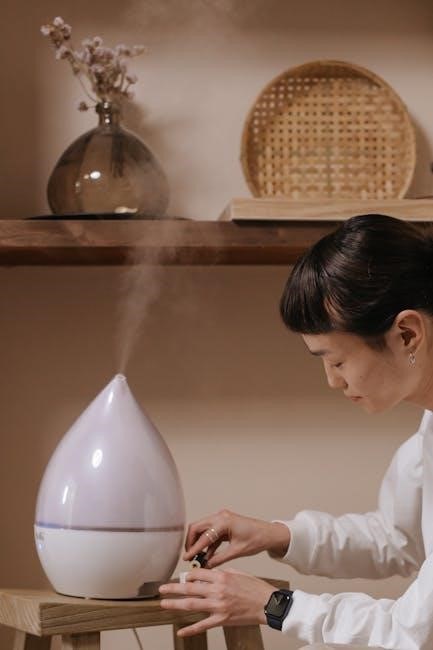
Proper setup ensures optimal performance. This involves carefully unboxing components, correctly filling the water tank, and safely powering on the device for initial use.
Unboxing and Component Check
Carefully unpack your Lacidoll humidifier and verify all components are present. The box should contain the humidifier base, water tank, power adapter, and this user manual. Inspect each item for any visible damage that may have occurred during shipping.
Ensure the water tank is securely fitted onto the base before proceeding. A proper seal is crucial to prevent leaks. Familiarize yourself with the location of the mist outlet, control panel, and water level indicator.
Retain the original packaging for potential future transport or warranty claims. If any components are missing or damaged, immediately contact Lacidoll customer support for assistance and do not attempt to operate the humidifier.
Filling the Water Tank
Before operating your Lacidoll humidifier, ensure the water tank is filled with clean, distilled or purified water. Avoid using tap water, as mineral deposits can accumulate and reduce efficiency, potentially damaging the ultrasonic plate.
Carefully lift the water tank from the humidifier base. Locate the water inlet, typically on the top or side of the tank, and slowly pour water in, observing the water level indicator.
Do not exceed the maximum water level marked on the tank. Once filled, securely replace the tank onto the base, ensuring a tight seal. Properly filling the tank is essential for optimal mist production and humidifier performance.
Powering On and Initial Operation
After filling the water tank and ensuring it’s securely placed, connect the power cord to a grounded electrical outlet. Press the power button to initiate operation; a light indicator will confirm activation.
Upon initial use, allow the humidifier approximately 5-10 minutes to absorb water and begin producing visible mist. The mist output may initially be lower, stabilizing as the ultrasonic plate becomes fully saturated.
Select your desired mist mode (cool or warm) and humidity level using the control panel. Monitor the humidity level in the room to ensure comfortable and effective humidification.

Operating Your Lacidoll Humidifier
Effectively control your comfort with customizable settings, including mist modes, humidity levels (40-90%), output adjustments, and a convenient timer function.
Mist Mode Selection: Cool and Warm Mist
Your Lacidoll humidifier offers both cool and warm mist options, catering to diverse preferences and needs. Cool mist is ideal for warmer climates or when a refreshing, non-heated vapor is desired. It’s particularly gentle for children and pets. Warm mist provides a soothing, comforting vapor, potentially aiding in relieving congestion during colder months.
To switch between modes, locate the dedicated mist mode button on your humidifier’s control panel. The selected mode will typically be indicated by a corresponding icon illuminating on the display. Remember to allow the unit to cool down completely before switching from warm mist to cool mist, or vice versa, to prevent potential damage and ensure safe operation. Always refer to your specific model’s instructions for precise details.
Customizing Humidity Levels (40-90%)
Lacidoll humidifiers allow precise control over your environment’s humidity, ranging from 40% to 90%. This customization enables you to achieve optimal comfort and address specific needs. Lower humidity levels (40-50%) are suitable for general comfort, while higher levels (60-80%) can provide relief from dry skin, sinus congestion, or respiratory issues.
To adjust the humidity level, use the control panel’s humidity adjustment buttons or settings. The current setpoint will be displayed on the humidifier’s screen. When the humidity reaches the desired level, the mist output will automatically suspend, maintaining your chosen setting. The humidifier will restart misting when the humidity drops 5% below the setpoint, ensuring consistent comfort.
Adjusting Mist Output
While Lacidoll humidifiers offer customizable humidity levels (40-90%), you can also directly influence the mist output for tailored comfort. Some models feature adjustable mist intensity settings – low, medium, and high – allowing you to control the amount of moisture released into the air. Experiment with these settings to find the ideal balance for your room size and personal preference.
Consider the room’s size and existing humidity when adjusting mist output. Smaller rooms may require lower settings, while larger spaces benefit from higher intensity. Regularly monitor the humidity level using a hygrometer to ensure optimal conditions. Remember that higher mist output consumes more water and energy.
Using the Timer Function
Lacidoll humidifiers often include a convenient timer function for automated operation and energy conservation. This feature allows you to pre-set the humidifier to run for a specific duration, such as 2, 4, 8, or 12 hours, before automatically shutting off. To activate the timer, locate the timer button on the control panel and repeatedly press it to cycle through the available time settings.
Utilize the timer for overnight operation or when you’re away from home, ensuring optimal humidity levels without constant monitoring. The timer function promotes efficient water usage and prevents the humidifier from running unnecessarily. Always refer to your specific model’s instructions for detailed timer operation.

Maintenance and Cleaning
Regular cleaning is crucial for maintaining optimal performance and preventing mineral buildup. Utilize vinegar and warm water to clean the ultrasonic plate and water tank frequently.
Cleaning Schedule and Importance
Maintaining a consistent cleaning schedule is paramount for the longevity and efficient operation of your Lacidoll humidifier. Daily rinsing of the water tank prevents bacterial growth and ensures fresh mist. A more thorough cleaning, including the ultrasonic plate, should be performed at least once a week, or more frequently with hard water.
Neglecting regular cleaning can lead to mineral buildup, reducing mist output and potentially damaging the humidifier. This buildup can also harbor bacteria and mold, impacting air quality. Consistent cleaning safeguards against these issues, ensuring a healthy and effective humidifying experience; Prioritize cleaning for optimal performance!
Cleaning the Ultrasonic Plate
The ultrasonic plate is the heart of your Lacidoll humidifier, responsible for creating the cool mist. Over time, mineral deposits from hard water can accumulate on the plate, hindering its performance. To clean it, gently remove the plate (refer to your model’s specific instructions).
Use a soft cloth dampened with white vinegar or warm water to carefully wipe the plate’s surface. Avoid abrasive cleaners or scrubbing, as this can damage the delicate components. Rinse thoroughly with clean water before reinstalling. Regular cleaning of the ultrasonic plate ensures optimal mist output and extends the humidifier’s lifespan.
Cleaning the Water Tank
Regularly cleaning the water tank is crucial to prevent bacterial growth and maintain optimal humidifier performance. Empty any remaining water and detach the tank from the base. Wash the tank with mild soap and warm water, ensuring you reach all corners and crevices.
Rinse thoroughly with clean water, ensuring no soap residue remains. For stubborn mineral buildup, a solution of white vinegar and water can be used – let it sit for 30 minutes before rinsing. Allow the tank to air dry completely before reattaching it to the humidifier base. A clean tank ensures fresh, healthy mist.
Using Vinegar for Cleaning
White vinegar is an effective and natural cleaning agent for Lacidoll humidifiers, particularly for removing mineral deposits. Dilute white vinegar with water – a 1:1 ratio is generally recommended. Pour the solution into the water tank, ensuring it coats the ultrasonic plate and internal surfaces.
Let the solution sit for at least 30 minutes, or longer for significant buildup. Afterwards, empty the tank and rinse thoroughly with clean water multiple times to eliminate any vinegar smell or residue. Regular vinegar cleaning helps maintain optimal mist output and prolongs the humidifier’s lifespan.
Descaling Procedures
Regular descaling is crucial to prevent mineral buildup that can reduce your Lacidoll humidifier’s efficiency. If you notice reduced mist output, despite cleaning, descaling is likely needed. Utilize a descaling solution specifically designed for humidifiers, or continue with the vinegar method described previously.
Follow the solution’s instructions carefully, typically involving running the humidifier with the descaling agent for a set period. Afterwards, thoroughly rinse the tank and components with clean water until all traces of the descaling solution are gone. Consistent descaling ensures optimal performance.
Troubleshooting Common Issues
This section addresses frequent problems like low mist, operational failures, unusual noises, leakage, and error codes, offering solutions for a smoothly functioning Lacidoll humidifier.
Low Mist Output
Reduced mist production is a common concern. First, ensure the water tank is adequately filled, as low water levels directly impact output. Next, meticulously clean the ultrasonic plate; mineral buildup or debris significantly hinders performance. Utilize a soft cloth dampened with vinegar or warm water for effective cleaning.
Also, verify the humidity setting – if set to a high percentage, the humidifier will cycle on and off. Check for obstructions in the mist outlet. Finally, confirm the unit isn’t positioned in a draft, which can dissipate the mist quickly. Regular cleaning and proper settings are key to maximizing mist output.

Humidifier Not Turning On
If your Lacidoll humidifier fails to power on, begin by verifying the power cord is securely connected to both the unit and a functioning electrical outlet. Test the outlet with another device to confirm it’s providing power. Inspect the power cord for any visible damage, such as cuts or fraying.
Ensure the water tank is properly seated and locked into place, as many models have a safety mechanism preventing operation without a secure tank. Check if the timer function is activated, potentially delaying startup. If issues persist, consult the warranty information for support or potential replacement.
Strange Noises During Operation
Unusual sounds from your Lacidoll humidifier often indicate a simple fix. A common cause is low water levels; refill the tank to the appropriate level and ensure it’s correctly positioned. Vibrations can occur if the unit is placed on an uneven surface – relocate it to a stable, flat area.
Gurgling sounds might suggest air trapped within the system; gently tilt the humidifier to release any trapped air. If noises persist, inspect the ultrasonic plate for mineral buildup, requiring cleaning with vinegar or warm water. Consistent, loud noises warrant contacting customer support for assistance.
Leakage Issues
If you notice water leakage from your Lacidoll humidifier, immediately unplug the unit to prevent electrical hazards. First, check the water tank for cracks or improper sealing – ensure it’s correctly seated and the seal is intact. Inspect the base for any damage that could cause leaks.
Overfilling the tank is a frequent cause; do not exceed the maximum water level indicated. If leakage continues, examine the internal tubing for disconnections or damage. Contact Lacidoll customer support if you cannot identify or resolve the source of the leak, avoiding continued use until repaired.
Error Codes and Their Meanings
Lacidoll humidifiers may display error codes to indicate specific issues. While specific codes vary by model, common errors include “E1” or “E2” signaling low water levels – immediately refill the tank. “E3” might indicate a problem with the ultrasonic plate, requiring cleaning with vinegar or a soft cloth.
If an error persists after addressing the likely cause, consult the full user manual for a comprehensive list of codes and recommended solutions. Contacting Lacidoll customer support with the error code will expedite troubleshooting and ensure proper resolution, preventing further damage.
Safety Precautions
Always prioritize safety when using your Lacidoll humidifier; avoid prolonged use in closed rooms, ensure proper cord safety, and allow cooling before cleaning.
Power and Cord Safety
To ensure safe operation, always inspect the power cord for any damage before each use. Do not operate the humidifier with a damaged cord or plug, or if the humidifier malfunctions. Avoid using extension cords, and if absolutely necessary, use a heavy-duty extension cord appropriate for the humidifier’s wattage.
Never pull the cord to disconnect the humidifier from the outlet; instead, grasp the plug firmly. Ensure the power outlet is easily accessible and located near the humidifier; Keep the cord away from heated surfaces, sharp edges, and areas where it could be tripped over. Always unplug the humidifier before filling, cleaning, or performing any maintenance. Improper handling of the power cord can create a significant safety hazard.
Avoiding Prolonged Use in Closed Rooms
Prolonged use of the Lacidoll humidifier in a tightly closed room is not recommended. Continuous operation in an enclosed space can lead to excessive humidity, potentially fostering mold and mildew growth. It’s crucial to ventilate the room periodically, especially during extended use, to maintain a healthy indoor air quality.
Regularly open windows or doors to allow for air circulation. Monitor humidity levels with a hygrometer to prevent over-humidification. Avoid unsupervised operation in small, sealed spaces. Proper ventilation ensures the humidifier enhances comfort without creating an environment conducive to unwanted microbial growth, safeguarding your health and home.
Allowing Cool Down Before Cleaning
Before initiating any cleaning procedure, always ensure the Lacidoll humidifier has completely cooled down. This is particularly vital after operating in warm mist mode, as internal components will be hot. Attempting to disassemble or clean a warm humidifier poses a burn risk and could potentially damage the unit.
Disconnect the power supply and allow ample time for all parts to reach room temperature. This cooling period safeguards both you and the humidifier. Refer to the maintenance section for detailed cleaning instructions once the unit is cool. Prioritizing safety prevents accidents and ensures the longevity of your Lacidoll humidifier.
Water Quality Recommendations
To maintain optimal performance and prevent mineral buildup, using distilled or demineralized water is strongly recommended for your Lacidoll humidifier. Tap water often contains minerals that can clog the ultrasonic plate, reducing mist output and potentially damaging the unit over time.
If distilled water isn’t accessible, filtered water is a suitable alternative, though more frequent cleaning may be necessary. Avoid using water treated with softening resins, as these can release harmful contaminants. Regularly changing the water, even with distilled options, is crucial for hygiene and preventing bacterial growth.
Advanced Features (If Applicable)
Some Lacidoll models offer smart functionality, remote control operation, and aromatherapy compatibility, enhancing user convenience and customization options for a tailored experience.
Smart Humidifier Functionality
Certain Lacidoll humidifier models boast integrated smart features, allowing for convenient control and monitoring via a dedicated mobile application. This connectivity enables users to remotely adjust humidity levels, switch between mist modes (cool and warm), and activate or deactivate the timer function—all from their smartphones or tablets.
The app often provides real-time humidity readings and allows for the creation of customized schedules to maintain optimal comfort levels throughout the day. Furthermore, smart functionality may include voice control compatibility with popular virtual assistants, offering hands-free operation. Notifications can alert users to low water levels or the need for cleaning, ensuring consistent and efficient performance. These features elevate the user experience, providing greater control and convenience.
Remote Control Operation
Many Lacidoll humidifiers include a convenient remote control for effortless operation from a distance. This allows users to adjust settings without physically interacting with the unit, providing added convenience, especially when the humidifier is placed in a hard-to-reach location.
The remote typically mirrors the functions available on the humidifier’s control panel, enabling adjustments to mist mode, humidity level (ranging from 40-90%), mist output intensity, and timer settings. It also allows for powering the unit on or off. Ensure the remote has fresh batteries for optimal performance. Keep the remote control dry and avoid exposing it to extreme temperatures or direct sunlight to prolong its lifespan.
Aromatherapy Diffuser Compatibility
Certain Lacidoll humidifier models are designed with aromatherapy diffuser compatibility, enhancing your humidifying experience with the addition of essential oils. This feature allows you to enjoy the therapeutic benefits of aromatherapy alongside the improved air quality provided by the humidifier.
Typically, a dedicated aromatherapy tray or pad is included within the humidifier’s design. Add a few drops of your preferred essential oil to this tray – avoid adding oils directly to the water tank, as this can cause damage. Ensure the oils are pure and designed for use in diffusers. Regularly clean the aromatherapy tray to prevent buildup and maintain optimal performance.

Warranty Information
Lacidoll offers a warranty covering defects in materials and workmanship. Details regarding coverage length, claim processes, and customer support contact information are provided herein.
Coverage Details
The Lacidoll humidifier warranty typically covers manufacturing defects in materials and workmanship under normal use for a specified period, often one year from the original purchase date. This warranty doesn’t extend to damage resulting from misuse, accidents, unauthorized repairs, or failure to follow the provided cleaning and maintenance instructions.
Specifically, the warranty addresses issues like malfunctioning controls, motor failures, or defects in the ultrasonic plate. It generally excludes consumable parts, such as filters (if applicable), and damage caused by hard water or improper water quality. Proof of purchase, like a receipt or order confirmation, is required to initiate a warranty claim.
Any attempted self-repair voids the warranty. Lacidoll reserves the right to repair or replace the defective product at their discretion.
Claim Process
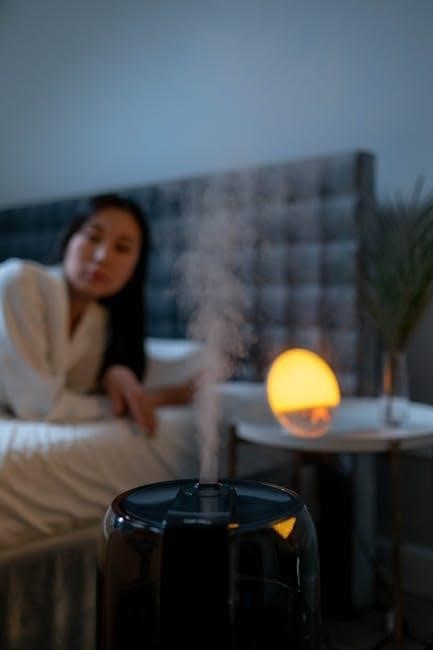
To initiate a warranty claim for your Lacidoll humidifier, first gather your proof of purchase (receipt or order confirmation) and a detailed description of the issue. Contact Lacidoll’s customer support team – details are provided in the ‘Contacting Customer Support’ section – via email or phone.
A support representative will likely request photos or videos demonstrating the defect. If the issue falls under warranty coverage, Lacidoll will provide instructions for returning the product (if required) or may offer troubleshooting steps.
Shipping costs for warranty returns are often the responsibility of the customer, but Lacidoll may cover them in certain cases. Once the claim is approved, Lacidoll will either repair or replace the humidifier.
Contacting Customer Support
For any questions, concerns, or warranty claims regarding your Lacidoll humidifier, reaching their customer support team is crucial. While specific contact details may vary, generally, you can reach Lacidoll via email. Check the official Lacidoll website for the most up-to-date email address, often found in the ‘Support’ or ‘Contact Us’ section.
Some models may include a customer support phone number in the included documentation. Be prepared to provide your humidifier’s model number (LCD-MH-2301J or similar) and proof of purchase when contacting support to expedite the process.
Response times may vary, so patience is appreciated.



Be the first to reply